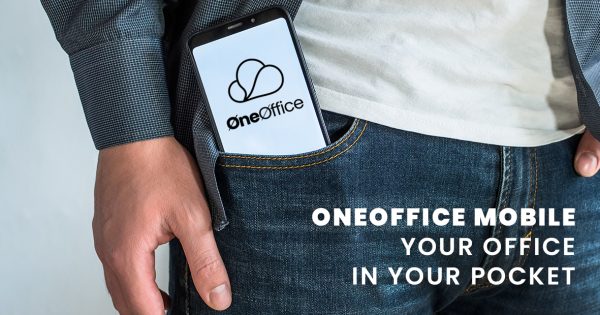
OneOfficeMobile: Your Office in Your Pocket
Real Productivity for Real South African Conditions
Quick Wins You’ll Love:
- Work on the OneOffice version of Word, Excel & PowerPoint, right on your phone
- Jump into calls and meetings, no laptop needed
- Get reminders, manage tasks, and share files
- Works even when signal drops or you’re off the grid
- Everything stays secure and synced to your OneOffice account
Let’s Talk Real Life
You’re at the car wash. Or stuck in traffic. Or waiting for your kid’s school day to end. And suddenly, someone needs a document updated, a task assigned, or a meeting joined.
Now imagine being able to do all that, from your phone.
That’s OneOfficeMobile in action. No need to say, “I’ll do it when I get back to my desk.” Your office is your phone.
Edit Docs Like a Pro (From Anywhere)
Whether it’s a Word doc, Excel spreadsheet, or PowerPoint file, you can open, edit, and save straight from the OneOffice app.
No funny formatting. No need for a laptop.
Everything looks and works like it should. It’s the same tool you’d use on desktop, just refined for mobile.
Think of it like Tupperware for your documents — neat, organised, and ready to go wherever you are.
Calls, Chat & Meet, On the Move
Join a video call or send a quick message while walking to your next meeting or even standing in the line at Pick n Pay.
- OneOffice keeps you connected with Meet (video), Talk (voice), and Chat — all from one app.
- Plus, it uses less data than you’d expect — perfect for mobile users.
On a dodgy signal? It’ll reconnect automatically once your bars come back.
Notifications That Keep You on Track
You know that feeling when you miss a task update and now you’re the one holding things up?
OneOfficeMobile notifies you about:
- New tasks
- Comments on files
- Meeting starts
- Uploads/downloads
Basically, it’s your digital PA who doesn’t sleep, take lunch, or forget.
Tasks and Projects in Your Pocket
The built-in Task Manager lets you:
- Create to-do lists
- Assign tasks to teammates
- Attach documents or files
- Get reminders when things are due
You can literally run an entire project from your phone, while sipping coffee at Wimpy.
Tips for Staying Productive on the Move
We all know South African Wi-Fi and power aren’t always reliable. So here’s how OneOfficeMobile keeps you going:
- Offline mode: Make edits without internet. It’ll sync when you’re back online.
- Low data settings: Use audio-only calls and lightweight file previews.
- Auto-save everything: No need to hit “Save” every few seconds — it’s automatic.
- Work from USB or mobile storage if needed — files stay secure either way.
Built for the Way You Work
Let’s be honest , the typical “sit at your desk from 9 to 5” model is out the window. Work happens everywhere now: in taxis, at home, between meetings, and sometimes in the middle of chaos.
OneOfficeMobile understands that. It’s built to handle the reality of South African work life , with all its connectivity quirks, power cuts, and stop/start days.
Want to See It in Action?
Whether you’re part of a business team, school, or startup, if you’re ready to ditch the “I’ll do it when I’m back at my laptop” life, OneOfficeMobile is your next move.
📲 Request a demo
📩 Ask us how to get started
🔒 Smart. Secure. South African-ready.